
ChatGPT
OpenAI
31 Oct 2023
11 Oct 2025
50.18 MB
1.2025.273
6.0
500,000,000+

Images




Description
ChatGPT APK Download (Latest Version for Android)
Experience the Power of AI Conversation, Image Generation & Voice Chat
ChatGPT by OpenAI brings the next generation of AI right to your Android phone or tablet. People can use this official app to talk, make things, learn, and fix problems right away, all through natural conversation. ChatGPT, which uses OpenAI’s newest language models, makes it easy to write, come up with ideas, answer questions, and even make pictures.
ChatGPT is your all-in-one AI friend, whether you need professional help, artistic ideas, or quick answers while you’re on the go. You can keep talking on the app no matter what device you’re using because it syncs automatically.
About ChatGPT App
The ChatGPT Android App is an AI helper with a lot of features that can help users with anything, from simple questions to hard ones. The app gives users a better and more unique way to explore the world of AI with advanced features such as Image Generation, Voice Mode, and Photo Upload.
OpenAI’s cutting-edge technology powers ChatGPT, which responds to all kinds of requests in a way that is accurate, creative, and takes into account the situation. This makes it the perfect digital assistant for both personal and business use.
Key Features of ChatGPT App
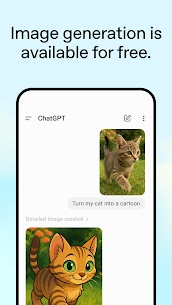
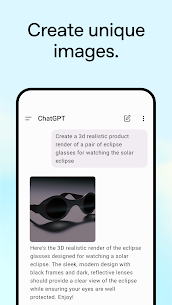
1. Image Generation
Create stunning visuals in seconds. ChatGPT lets you generate original images from text descriptions or transform existing pictures using AI-powered editing—perfect for creative projects and content creation.
2. Advanced Voice Mode
Engage in real-time voice conversations with ChatGPT. Whether you’re practicing a new language, asking questions while multitasking, or debating with friends, simply tap the soundwave icon and start talking.
3. Photo Upload & Recognition
Need to identify a monument, transcribe a handwritten recipe, or analyze a picture? Just snap or upload an image, and ChatGPT will provide accurate information or detailed text extraction instantly.
4. Creative & Personalized Assistance
From crafting birthday wishes and writing poems to developing travel itineraries or business ideas—ChatGPT adapts to your needs and provides tailored responses for every situation.
5. Learning Made Simple
Use ChatGPT as your personal tutor. Whether it’s explaining scientific concepts or historical events in simple terms, the app makes learning easy, fun, and interactive.
6. Professional Productivity Tool
Boost productivity with AI. Get help drafting emails, writing marketing copy, planning projects, or creating business strategies—all within a few prompts.
7. Instant Answers & Smart Suggestions
Ask anything—from cooking ideas with limited ingredients to detailed summaries of current events—and ChatGPT delivers accurate, well-structured responses in seconds.
Why Choose ChatGPT for Android?
Official OpenAI App – Built and maintained by OpenAI for secure, high-quality user experience.
Cross-Device Sync – Continue conversations seamlessly across mobile and desktop.
Ad-Free Experience – No interruptions or unnecessary distractions while chatting.
Regular Updates – Get access to OpenAI’s latest features and model improvements.
Free to Use – Access core ChatGPT features without any subscription.
With millions of users worldwide, ChatGPT has become the go-to AI assistant for both casual conversations and professional tasks.
Official Links
Terms of Service: https://openai.com/policies/terms-of-use
Privacy Policy: https://openai.com/policies/privacy-policy
FAQs – ChatGPT App
Q1. What is ChatGPT?
ChatGPT is an AI-powered chatbot developed by OpenAI that allows users to have interactive conversations, generate content, ask questions, and even create images or voice chats using advanced artificial intelligence models.
Q2. Is ChatGPT free to use on Android?
Yes, the ChatGPT app is free to download and use. However, OpenAI also offers a ChatGPT Plus subscription that provides access to advanced models like GPT-4 for faster and more detailed responses.
Q3. What is the Image Generation feature in ChatGPT?
The Image Generation tool allows users to create AI-generated images directly from text descriptions or modify existing photos using AI-enhanced editing.
Q4. Can I use ChatGPT without an internet connection?
No, ChatGPT requires an active internet connection to process and deliver accurate, AI-generated responses.
Q5. Does ChatGPT store my conversations?
Your chat history is securely synced across devices and stored under your account. You can review, delete, or manage your data anytime within the app settings.
Q6. What is the Advanced Voice Mode in ChatGPT?
The Advanced Voice Mode enables real-time voice conversations with ChatGPT, allowing you to speak naturally and get spoken responses instantly.
Q7. Is the ChatGPT app safe to use?
Yes, the official ChatGPT app from OpenAI follows strict privacy and data protection policies, ensuring all your information remains secure.
What's new
Minor fixes and improvements